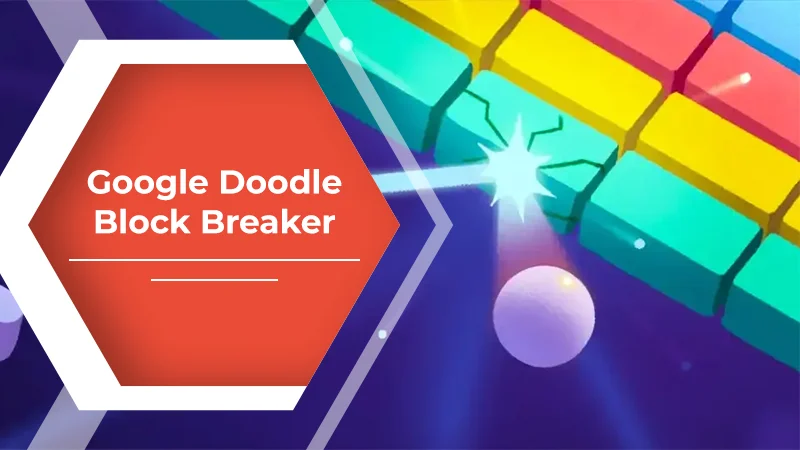

If you are searching for google block breaker, you are probably looking for a quick way to play the classic brick-breaking game directly through Google. Unlike a traditional game that requires an installation, Google’s Block Breaker is designed as an interactive experience within Search.
The concept is simple: control a paddle, bounce a ball, break blocks, and keep the ball from reaching the bottom of the screen. The straightforward gameplay makes it easy to start, while changing block patterns and special features give the game more depth than a basic arcade clone.
Google’s current Block Breaker appeared in Search in January 2025. Contemporary coverage from 9to5Google and Android Authority describes it as a new interactive Search game inspired by Atari’s classic Breakout.
What Is Google Block Breaker?
Google Block Breaker is a browser-based arcade game available through Google Search. It follows the familiar Breakout formula: a ball moves around the screen, a player-controlled paddle keeps it in play, and blocks disappear when struck.
The game uses Google’s familiar blue, red, yellow, and green color palette for its blocks. Some blocks can behave differently from ordinary ones, introducing features such as extra balls, paddle extensions, TNT-style effects, and other upgrades.
The appeal is largely its simplicity. You do not need to learn complicated controls or understand a long storyline. The basic objective is immediately visible, making it suitable for a short gaming session.
How to Play Google Block Breaker
Getting started is straightforward.
1. Open Google Search
Use Google Search from a desktop browser, phone, tablet, or the Google app.
2. Search for “Block Breaker”
Enter block breaker into the search field and submit the search. Reports from January 2025 documented an interactive game card appearing in Search for this query.
3. Select the Play Option
When the game card is available, select the play button to open the interactive experience.
4. Move the Paddle
On desktop, the paddle can be controlled using the left and right arrow keys. On mobile devices, controls can be operated through touch interaction.
5. Break the Blocks
Keep the ball in play and aim to clear the blocks. As the board changes, paying attention to the ball’s direction becomes increasingly important.
Because the game is built around short rounds of arcade-style action, it can be played without committing to a lengthy session.
Understanding the Gameplay
The main mechanic is familiar but rewards careful timing.
At the bottom of the screen, the paddle moves horizontally. The ball rebounds from the paddle, walls, and blocks. If the ball passes the paddle, you lose an opportunity to continue the run.
Your objective is to remove the blocks while maintaining control of the ball.
The most useful habit is to watch the ball’s trajectory rather than simply moving the paddle back and forth. When you can anticipate where the ball will return, positioning the paddle becomes much easier.
Special Blocks and Power-Ups
One feature that separates Google’s version from an extremely basic Breakout implementation is the presence of special effects and upgrades.
Coverage of the game has documented features including extra balls, longer paddles, TNT-style effects, and dual blasters.
These elements can change how you approach a round. For example, an additional ball can increase the number of blocks being hit, while a larger paddle can make returning the ball easier.
The important point is that not every block necessarily has the same function. Paying attention to unusual blocks can help you understand what is happening rather than treating every target identically.
Google Block Breaker vs. Atari Breakout
The names are sometimes used interchangeably online, but Google’s current Block Breaker and its older Atari Breakout Easter egg are not exactly the same experience.
In 2013, Google created an Atari Breakout Easter egg inside Google Images. Searching for “Atari Breakout” transformed image-search results into the blocks of a playable game. Contemporary reporting documented the feature as a tribute to the 37th anniversary of Atari’s original Breakout.
The newer Block Breaker appeared in Google Search in January 2025 and uses a dedicated game interface rather than turning image-search results into the playing field.
| Feature | Current Google Block Breaker | Older Atari Breakout Easter Egg |
|---|---|---|
| Main location | Google Search | Google Images |
| Basic gameplay | Paddle and bouncing ball | Paddle and bouncing ball |
| Block design | Google-inspired colored blocks | Image-search thumbnails |
| Introduced | January 2025 | 2013 |
| Main inspiration | Breakout-style arcade play | Atari Breakout |
This distinction matters because many pages discussing “Google Block Breaker” actually describe the older Atari Breakout experiment.
Tips for Playing Better
You do not need complicated techniques to improve. A few simple habits can make the game easier to manage.
Watch the Return Angle
Do not focus only on where the ball is now. Think about where it will reach the paddle.
The closer you get to predicting the return point, the less frantic your paddle movements become.
Avoid Unnecessary Movement
Constantly moving the paddle from one side to another can make it harder to position accurately. Small adjustments are often more useful than large movements.
Prioritize Ball Control
Breaking blocks is the objective, but keeping the ball in play comes first. A missed return can end your progress regardless of how many blocks you have already cleared.
Pay Attention to Special Blocks
When a block looks different or produces an unusual effect, observe what happens. Understanding the game’s special elements can help you make better decisions during later rounds.
Practice Short Sessions
Because the controls are simple, repeated short sessions can help you become more comfortable with the ball’s movement without requiring a large time commitment.
Why People Still Enjoy This Type of Game
Brick-breaking games have remained popular because the basic interaction is easy to understand. There is no complicated setup: move, bounce, break, repeat.
Google’s version also benefits from being connected to Search. Instead of downloading a game or navigating through a large gaming platform, the experience can appear as part of something users already use every day.
That combination of accessibility and familiar arcade mechanics explains why the game can appeal to both casual players and people interested in classic Breakout-style gameplay.
What If Google Block Breaker Does Not Appear?
If searching for google block breaker does not produce the expected game, avoid assuming that every website offering a similarly named game is Google’s official version.
There are numerous independent Block Breaker websites and recreations online. Some use Google’s name or color scheme while explicitly stating that they are unofficial projects.
The simplest distinction is the location of the game. Google’s version is associated with an interactive Search result, while an independently hosted game opens on its own website.
Availability and presentation can also change over time, so a third-party page should not automatically be treated as evidence that it is an official Google product.
Is Google Block Breaker Worth Trying?
If you enjoy classic paddle-and-ball arcade games, Google Block Breaker offers a simple experience that requires very little setup. Its combination of familiar mechanics, colorful blocks, and additional gameplay elements makes it more interesting than a purely basic brick-breaking game.
It is particularly convenient for someone who wants a quick game rather than a full downloadable title. The controls are easy to understand, while improving your timing gives the gameplay a small but meaningful challenge.
FAQs
Is Google Block Breaker free?
The Google Search version has been presented as an interactive game available directly through Search rather than a paid downloadable title.
How do I find Google Block Breaker?
Search Google for block breaker. When the interactive game is available, the Search results can display a game card with a Play option.
Is Google Block Breaker the same as Atari Breakout?
No. Google’s current Block Breaker is a newer Search-based game. The older Atari Breakout Easter egg appeared in Google Images in 2013 and used image-search results as the blocks.
Can I play Google Block Breaker on a phone?
The January 2025 reporting described the game as available on mobile web and through the Google app, with touch-based paddle controls.
Does Google Block Breaker have power-ups?
Yes. Reports about the Search version describe gameplay elements including extra balls, a longer paddle, TNT-style effects, and dual blasters.
Do I need to download an app?
The Search version is designed to run as an interactive game through Google rather than requiring a separate game installation.
Read More: Partners G15Tool: Partnership Guide
Conclusion
Google Block Breaker brings a classic arcade concept into Google Search in a convenient, modern format. The basic objective remains wonderfully simple: control the paddle, keep the ball moving, and clear the blocks.
Its connection to the older Atari Breakout concept can make the game feel familiar, but the current Search version has its own interface and gameplay features. If you are looking for a quick browser-based arcade experience, searching for “block breaker” on Google is the natural place to start.
The biggest advantage is simplicity. There is little to learn, no complicated story to follow, and the controls can be understood almost immediately. For a short break or a few rounds of classic-style arcade action, that simplicity is exactly what makes the experience accessible.